
JetBackup is a powerfull cPanel plugin that allow you to manage backups of your
hosting account, in this tutorial we are going to learn how to restore a SSL
Certificate with JetBackup.
Once you are logged in cPanel just follow those steps:
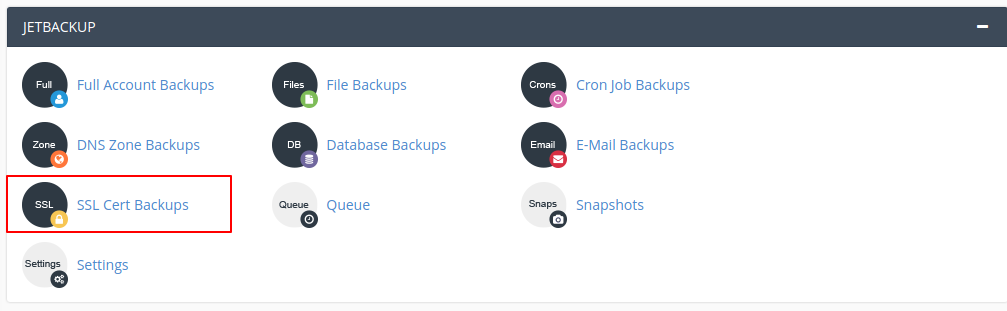
1. In cPanel home screen go to JETBACKUP section and click on SSL Cert Backup Icon.
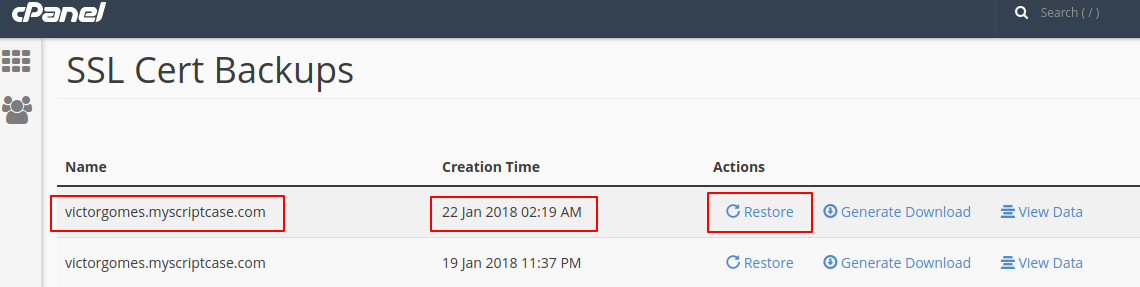
2. Under SSL Cert Backup select a domain and date of a backup do you want restore and click in Restore.
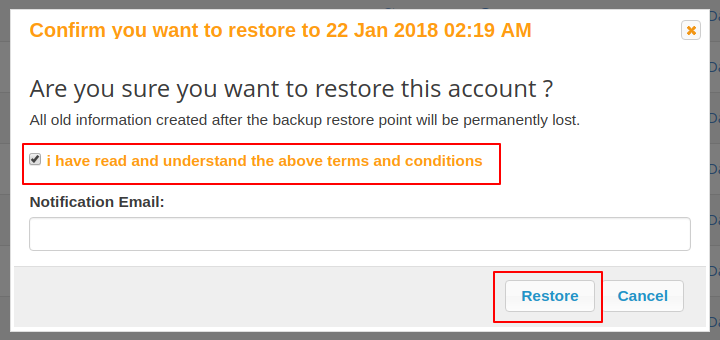
3. A warning message will appear in the screen, you have to accept the terms and conditions,
so click in Restore to proceed.
Wait some time while the restauration is being done.
You can check the progress of this procedure at JetBackup queue.
How to perform a restore of a SSL Certificate with JetBackup
Á
Álvaro Moura
Last updated on Jul 6, 2026